User guides
How DoorLine works, step by step
Visual walkthroughs of the real product — calm setup guides for admins, and clear door-knocking help for canvassers. No login required to read.
All guides
Follow them in order for a first campaign, or jump to the feature you need.
Getting started
From empty campaign to first knock: universe, turf, canvass, invite, then door knocking.
Open guide →Address universe
Load every door in your ward — pick a ward, draw a boundary, upload KML, or import addresses.
Open guide →Cutting turfs
Why you cut walkable chunks, how to draw them, and what the time estimate means.
Open guide →Canvasses
Attach a turf, schedule work, and re-canvass the same area for a second pass or new goal.
Open guide →Lit Drop
NewBuild a sparse door list, split it into driving canvasses, and print walk sheets that import later.
Open guide →Lawn signs
Every sign request in one place: the live map, public form, a plan for how many boards you still need, sign turfs, and teardown.
Open guide →GOTV: get out the vote
Turn your 4s and 5s into a target list, project how big it will be by the dates you print for, split it across teams, and track who has voted.
Open guide →Inviting canvassers
Phone invites, roles, and the team model — anyone on the campaign can join a canvass.
Open guide →Door knocking
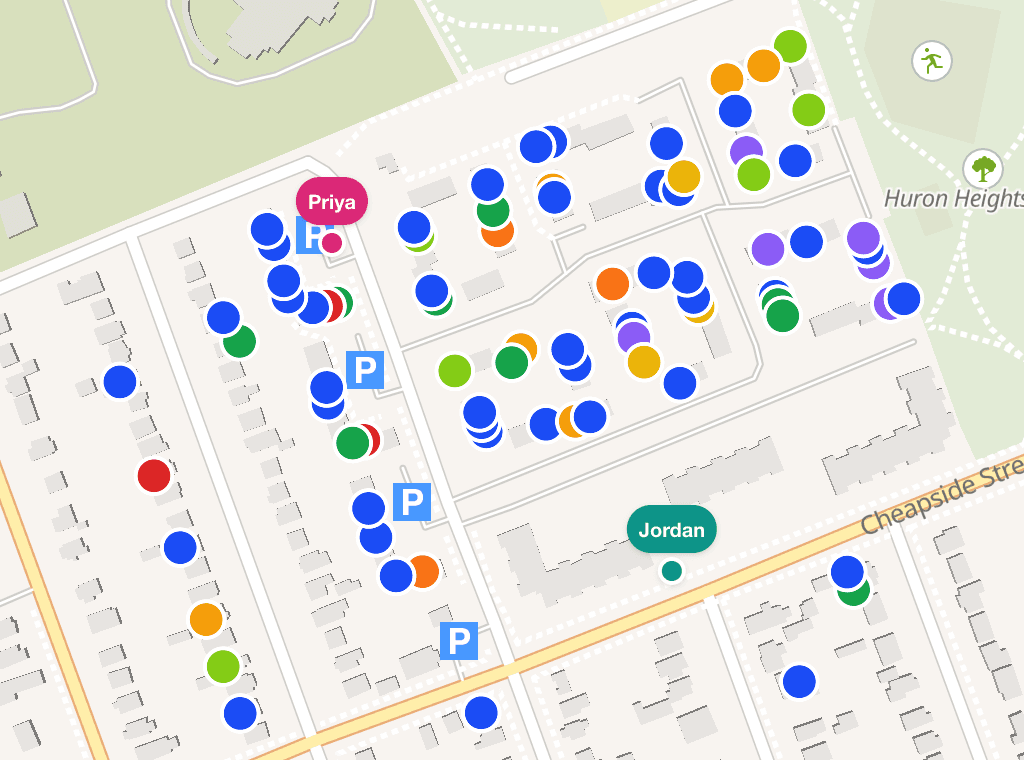
List and map views, outcomes, support scores, offline sync, live teammates, and map colors.
Open guide →Save DoorLine on your phone
Add DoorLine to the home screen on iPhone and Android so it opens full screen, like an app.
Open guide →Multi-unit buildings
Building view, adding units as you go, and avoiding false “done” on apartments.
Open guide →Custom questions
Campaign intake fields and resident phone capture so the door form matches your script.
Open guide →Paper & CSV import
Photograph walk sheets or drop a spreadsheet — review AI matches, then commit.
Open guide →Data & export
Search responses and notes, filter what you need, export NationBuilder-ready CSV anytime.
Open guide →Analytics & estimated votes
Dashboard snapshot, coverage, issues, and a high-level vote estimate vs the win line — not a guarantee.
Open guide →Badges & recognition
Finalize weekly and all-time badges, share images, and send a thank-you text.
Open guide →Common questions
Ranked by what campaigns ask most often — each links into the matching guide.
- 1How do we track lawn sign requests and get them installed?
Signs: a public request form with QR code, an install map, and sign-team access for volunteers.
- 2What do we do with all our identified supporters on election day?
GOTV: build the target list from your 4s and 5s, split it across teams, track who has voted.
- 3How do we drop letters on a warm list spread across the whole ward?
Lit Drop: upload or filter specific doors, split into N driving lists, print sheets.
- 4How do we get off paper or a spreadsheet without retyping everything?
Photograph walk sheets or import a CSV — review matches, then commit.
- 5Can the knock form match the questions we ask at the door?
Add campaign intake fields (and phone capture) in Settings.
- 6How do volunteers save DoorLine on their phone?
Safari Share → Add to Home Screen on iPhone; Chrome menu → Install app on Android.
- 7What happens when signal dies — and can I see my teammates?
Knocks save on the phone and sync later; the map shows live GPS presence.
- 8How do I load my ward and cut turfs without drawing forever?
Pick a ward or import KML, then cut walkable turfs on Map & Turfs.
- 9How do we canvass a big apartment without looking “done” after one unit?
Open Building view and add units as you go — status is per unit.
- 10Who is assigned this turf? Can more than one person work it?
Turfs attach to canvasses. Anyone on the campaign can join and knock.
- 11How do we keep volunteers motivated?
Leaderboards and shareable badges — optionally text a thank-you.
- 12Are we on track to win — and what are people talking about?
Dashboard, Analytics, and Estimated Votes are high-level estimates, not guarantees.
- 13Why do map colors look confusing outdoors?
Door status colors are separate from the 1–5 support scale.
- 14I’m stuck in the wrong campaign or lost admin access.
Switch campaigns from the header; invites never demote an existing owner.
Ready to set up your campaign?
Free while in beta. Start with the getting-started guide, or jump straight into signup.