Inviting canvassers
Phone invites, roles, and the team model — anyone on the campaign can join a canvass.
For campaign adminsCanvassers join the campaign, not a single turf. Once invited, they see every canvass that has a turf attached and can start any of them.
Open Users
In admin, open Users. You will see the invite form and a table of Name, Phone, Role, and Status. Use Edit in Actions to change someone else's role or status — you can't change your own.
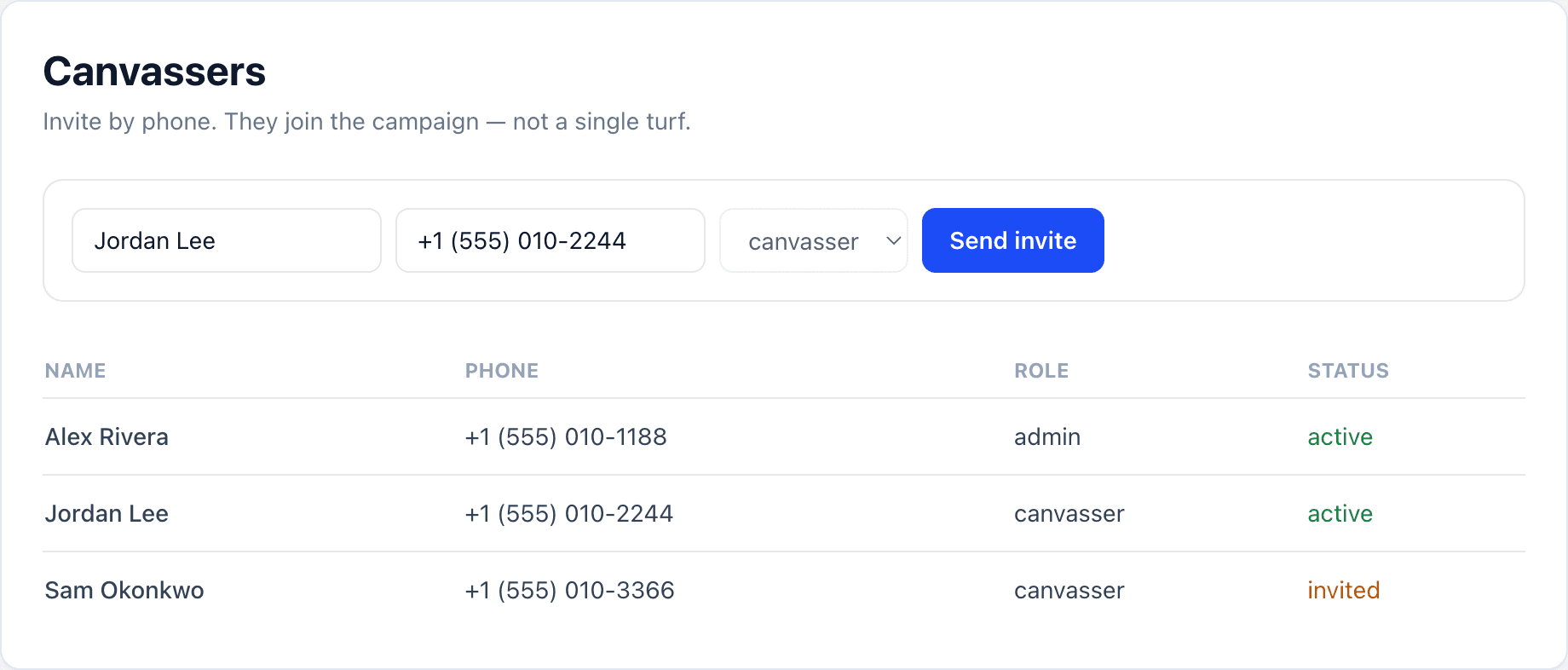
Send the invite
Enter the volunteer’s name and mobile number. DoorLine texts a link and login code (Twilio). Then they save DoorLine to the home screen — iPhone and Android steps. No App Store.
They pick a canvass and knock
After login they land on the canvasser home screen. Full field guide: Door knocking.
Roles
- Owner — full control, including Address Universe and Settings
- Admin — turfs, canvasses, data, analytics, badges
- Canvasser — field app only
Admins and the owner can invite more admins, and can Edit an existing teammate to promote them or fix their name (useful when an invite went out without one and the row shows “—”). You cannot change your own role or status, or the owner's. Admins can use Switch to canvassing when they want to knock themselves.
Sign team is a checkbox, not a role. Tick it for volunteers who install signs and they get the mobile install map on their home screen, on top of whatever else their role allows. A canvasser who is carrying signs can mark I put it in today on the knock sheet without that checkbox. See the Signs guide.
Campaigns & access
If you belong to more than one campaign, use Switch campaign in the admin or canvasser header. Custom questions and data are per-campaign — if a field “disappears,” you may be on the wrong campaign.
Exclude the candidate from leaderboards in settings when you want volunteers to win recognition fairly — see Badges.