Data & export
Search responses and notes, filter what you need, export NationBuilder-ready CSV anytime.
For campaign adminsData & Export is the campaign’s response ledger — every knock you can search, filter, and download. Your data is yours; there is no export fee.
Open Data & Export
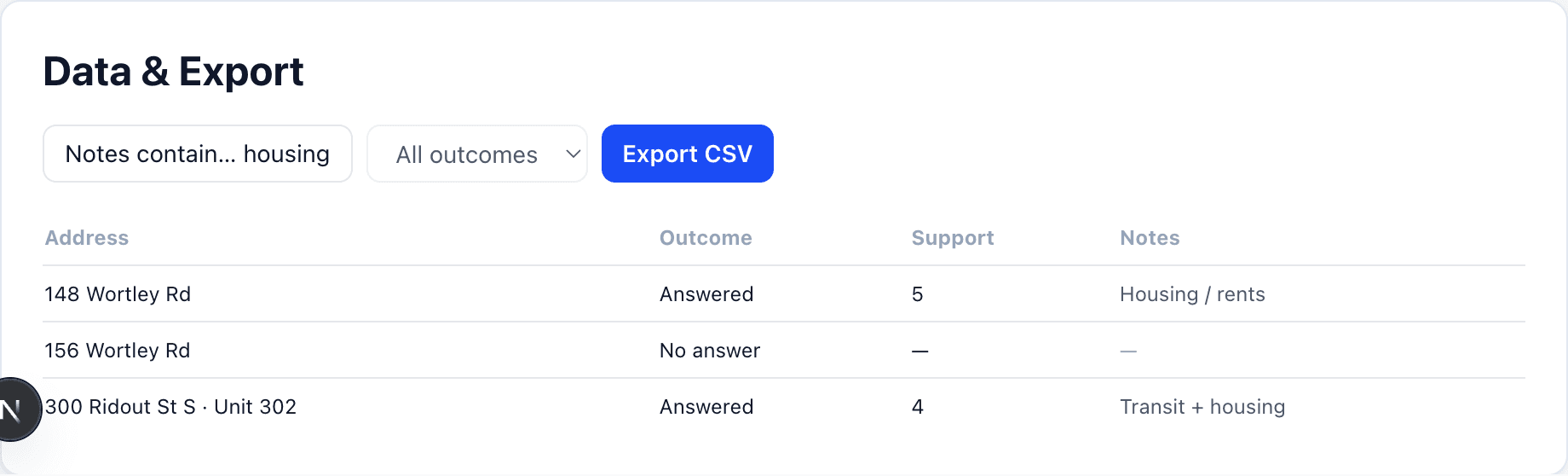
In admin, open the page and use filters for canvass, outcome, support, dates, and custom intake values. The table shows address, outcome, support, contact fields, custom columns, and notes.
Find a person by name, email, or phone
The Search box matches first name, last name, email, and phone as well as the address. Type “Smith” or the last four digits of a number and the table narrows to those responses. The total count updates with your filters, and Show more pages past the first 200 rows, so a donor lookup no longer means exporting the whole CSV.
Search notes
Use the Notes contain… filter when issues live in free text. Notes appear as a column so you are not opening each response one by one.
Export NationBuilder-ready CSV
Download a CSV shaped for NationBuilder-compatible import (and general spreadsheet use). Apply filters first if you only want a slice — for example strong supporters with a lawn-sign ask. Doors whose sign has been installed on the Signs page carry a sign-installed tag in the export.
For ward-level charts and vote math, see Analytics & estimated votes.