Every feature. Day one. No "pro tier".
Everything below ships with every account, and the demos on this page run live on sample data. Click around.
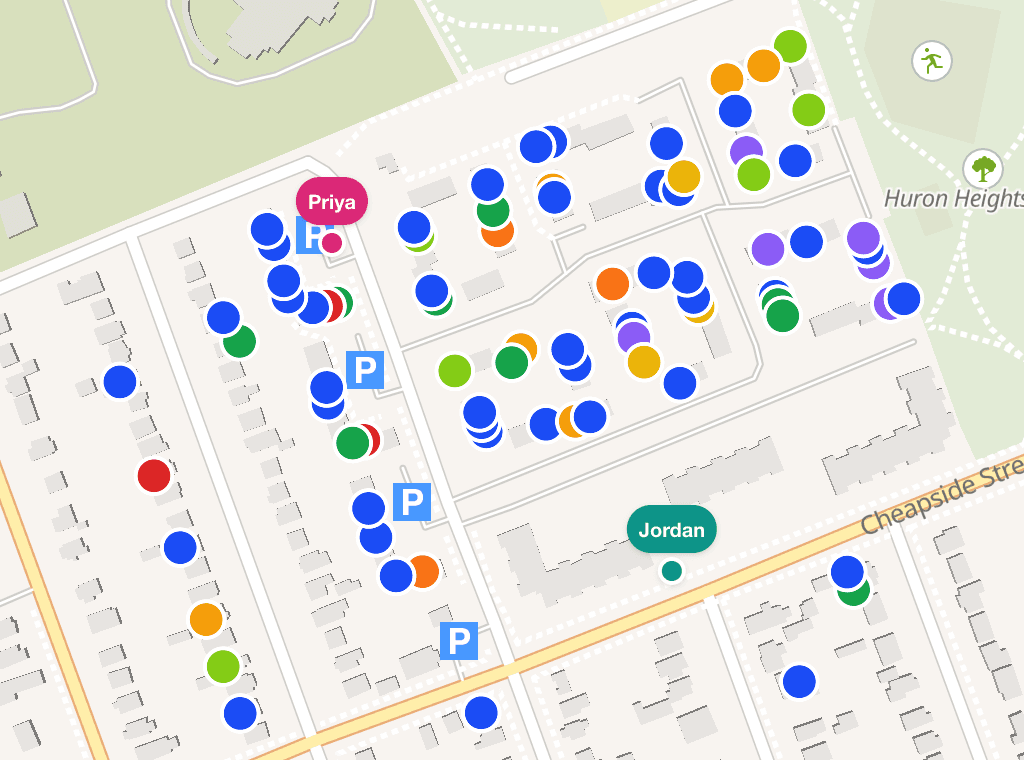 Real screenshot, demo turf
Field operations
Signs, lit drop, GOTV, worksheets, the public form, and canvassing. Demo figures are invented.
Signs
Requests, a public form, and a crew map
Residents request a sign on your website or from a QR code on the board. Each request is confirmed by email, then sits on one list: to install, damaged, installed, or waiting on that confirm. The sign team opens a phone map of the work queue — not every board already in the ground.
- Public form you can embed. Typeahead stays inside the ward.
- Live email or text to the crew when a request lands, with a link to mark it Installed.
- Split a Saturday into sign turfs, or schedule teardown for after the polls close.
14 Pine Street
Small · requested by A. Chen
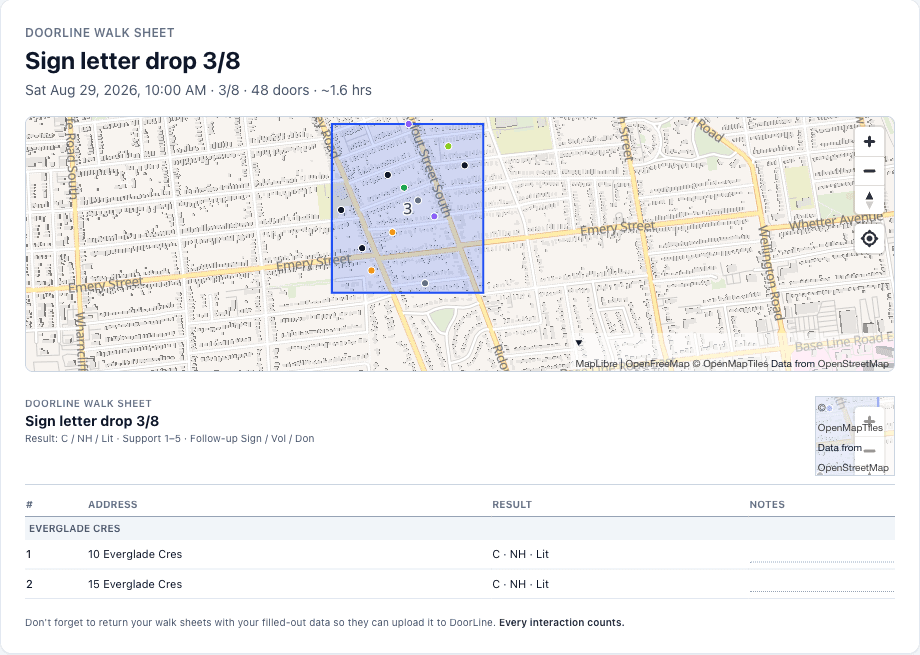
Lit Drop & worksheets
A sparse list, split into driving packs
Upload a spreadsheet, filter doors you already IDed, or click the map. Preview the split, drag the polygons, then print sheets. Split into N lists, or cap each list at N doors (packs of 50, packs of 100). Manual Input reads the filled sheets — In / Dmg / Skip, or C / NH / Lit — and writes back to the same doors.
Lit Drop guide →GOTV
Election-day lists from your 4s and 5s
The target list is built from the latest answered door at each house. Add advance-poll and election-day dates to project how many vote IDs you will have by then. Then the same split tools as Signs: list, map, preview polygons, packs of N doors. Volunteers mark Contacted, Voted, or Not home. Voted doors leave the list.
GOTV guide →| Address | Lvl | Status |
|---|---|---|
| 22 Maple Ave | 5 | Not yet contacted |
| 8 Oak St · Unit 2 | 4 | Contacted |
| 401 King St | 5 | Voted |
doorline.dev/s/…
PNG or SVG for flyers and the back of the sign.
<iframe src="https://doorline.dev/s/…"
  style="width:100%;border:0"
  title="Request a lawn sign"></iframe>
Public form
Embed the request form. Print the QR.
One permanent link per campaign. Paste the snippet into NationBuilder, Squarespace, or WordPress. Colours match your site. The same URL is the QR code. Confirmation is email, so junk requests do not land on the install map.
Form and embed →Canvassing
Offline knocks, a live team map, paper if you want it
Cut turfs, schedule a canvass, invite by phone number. Volunteers save DoorLine to the home screen. Knocks store on the phone and sync when signal returns. Captains see live GPS. If someone works from paper, photograph the sheet — up to 20 at a time — and review the matches.
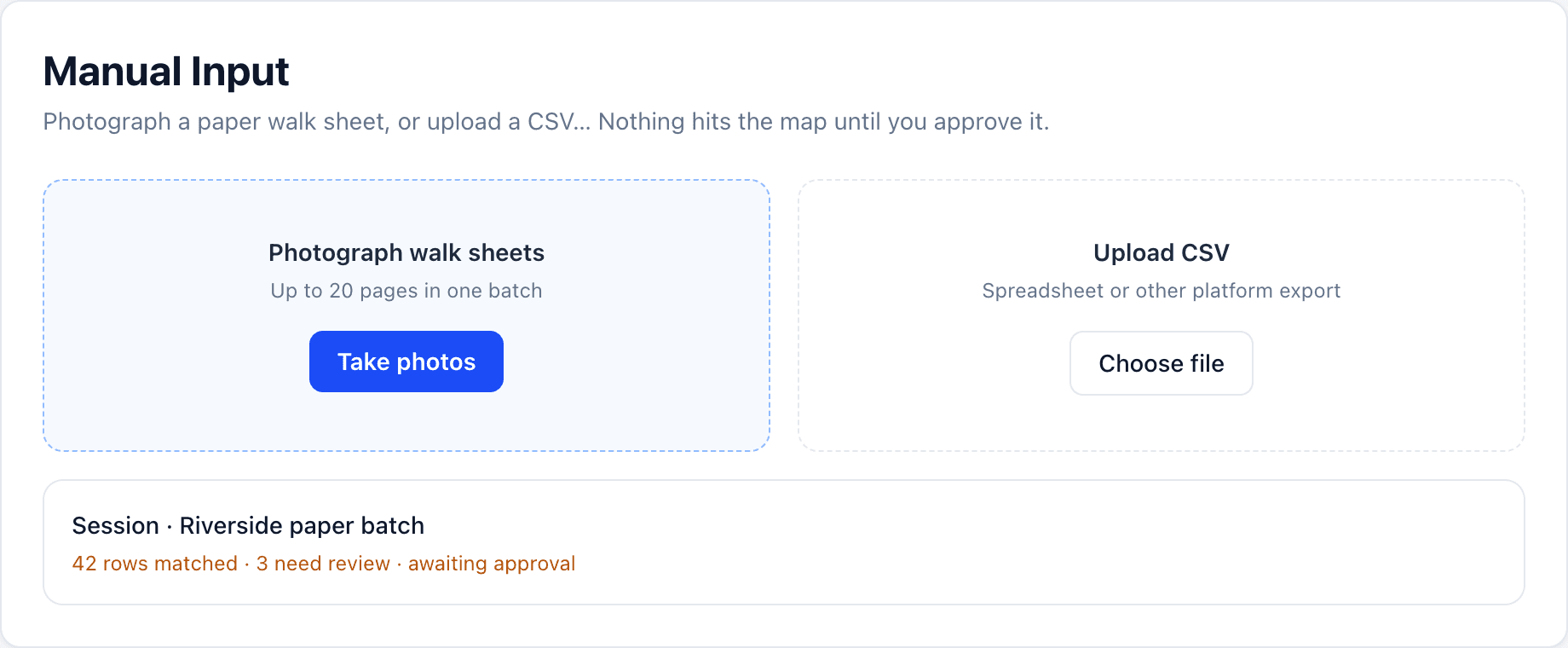
Offline-first, syncs live
- ✓Knocks save on the device instantly. No spinner, no signal needed.
- ✓Automatic background sync the moment connectivity returns.
- ✓Save to the home screen (iPhone Safari or Android Chrome) so it opens full screen. Guide at /guides/install-on-phone.
- ✓No lost evenings, no duplicate doors across the team.
GPS safety & live presence
- ✓Every active canvasser on the map in real time.
- ✓Captains spot stragglers and check in fast.
- ✓Volunteers feel safer knowing the team can see them.
- ✓Presence is scoped per canvass, so it stays relevant.
Analytics that decide things
- ✓Support distribution across your universe.
- ✓Weekly knock rates and momentum over time.
- ✓A data-science vote model: recency-weighted 4–5 support, undecideds counted at that rate, and a confidence band, projected against the win line.
- ✓Per-canvasser pace and contribution stats.
AI issue analysis
- ✓Reads canvasser notes and issue tags, and builds an issue taxonomy specific to your campaign.
- ✓Pie chart of what your ward cares about, plus a month-over-month trend of rising issues.
- ✓Steer it with plain-language instructions, like "file potholes under road maintenance".
- ✓Personal information is stripped before any text is analyzed.
Badges & leaderboards
- ✓Automatic weekly badges recognize top knockers.
- ✓A podium leaderboard anyone can read in two seconds.
- ✓Opt individuals out (looking at you, candidate).
- ✓Send badge recognition by text to keep volunteers coming back.
Turf cutting & manual import
- ✓Draw a polygon; see door counts and a time estimate as you draw.
- ✓Lit Drop: a sparse door list from a spreadsheet, filters, or map clicks. Split into N lists or packs of N doors, preview polygons, print walk sheets.
- ✓AI paper import: photograph old walk sheets, up to 20 in one batch, review, done.
- ✓CSV import: drop in an export from another platform or a spreadsheet tracker, and AI maps the columns for you.
Lawn signs, without the spreadsheet
- ✓Every sign request in one place: from door knocks, from a public request form, or imported from NationBuilder.
- ✓A shareable link, a printable QR code, and an embed snippet so the form lives on your own website.
- ✓Requesters confirm by email, so nobody can flood your list. Residents can report a damaged sign from the same form.
- ✓Give volunteers sign-team access and they get a mobile map of what still needs to be installed, fixed, or picked up. The captain can get a text or email as each request lands, or a morning digest — or both.
- ✓Residents can report a damaged public sign without an address by dropping a pin on the map. Split a Saturday into canvasses, or start teardown after election day.
Get out the vote
- ✓Choose which supporters count (5s, 4s and 5s, or 3 and up) and DoorLine builds the target list from your canvass data.
- ✓Planning table: add the dates you print for and see projected vote IDs, sign requests, and donate or volunteer asks. List, map, or split — same tools as Signs. Split into N lists, or cap each list at N doors. The whole target list loads; it is not capped at 1,000.
- ✓One tap per door: already voted, reminded, not home. Voted doors leave the list for everyone instantly.
- ✓Confirmed votes show up beside your Estimated Votes model as a floor, not a guess.
Your data, no ransom
- ✓Import your address universe to get started fast.
- ✓Switching mid-campaign is easy: bring history in via paper sheets or CSV.
- ✓One-click NationBuilder-compatible CSV export so your CRM stays in sync.
- ✓No export fees. Ever. It's your data.
Don't take our word for it, poke the demos
Support distribution
Doors per week
The leaderboard
Estimated votes vs the win line
AI issue analysis: salience and trends
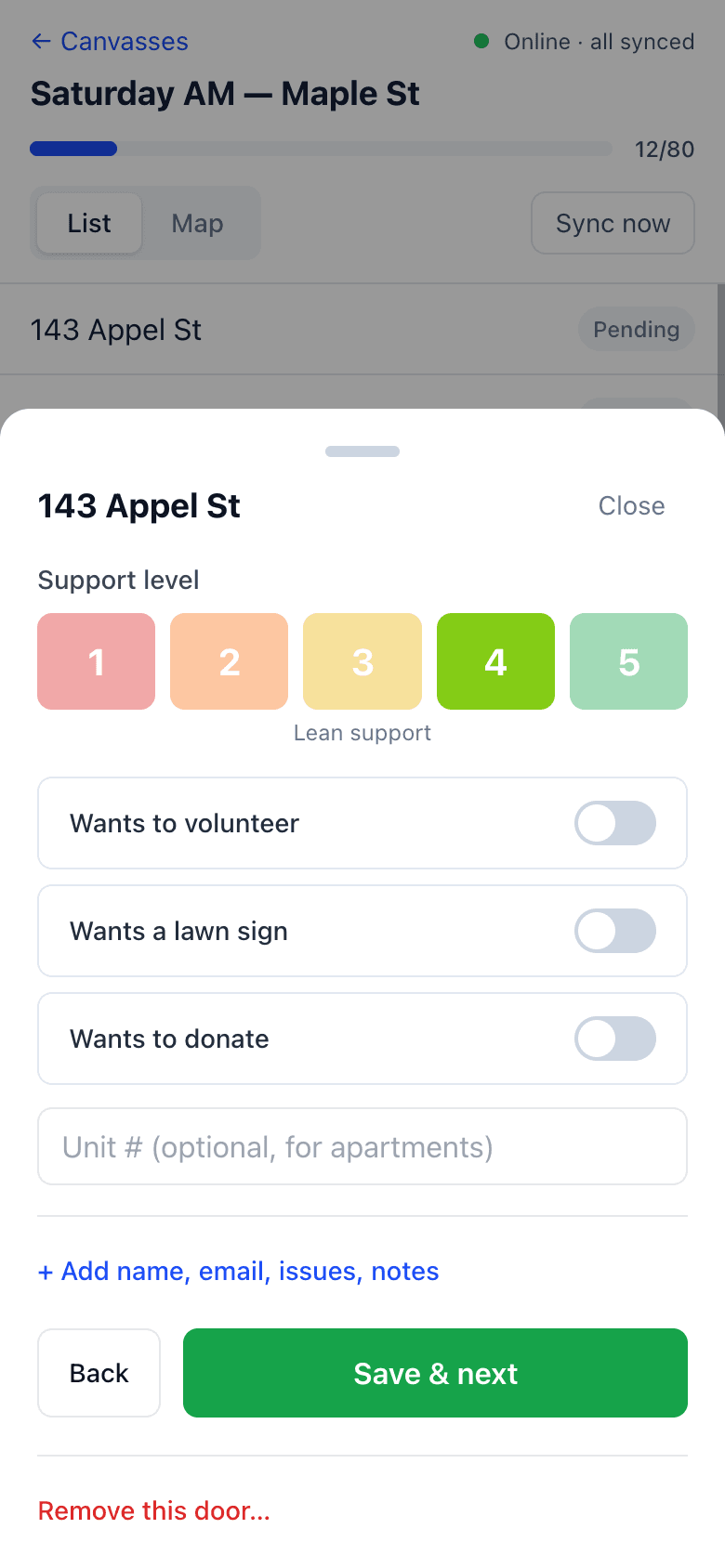
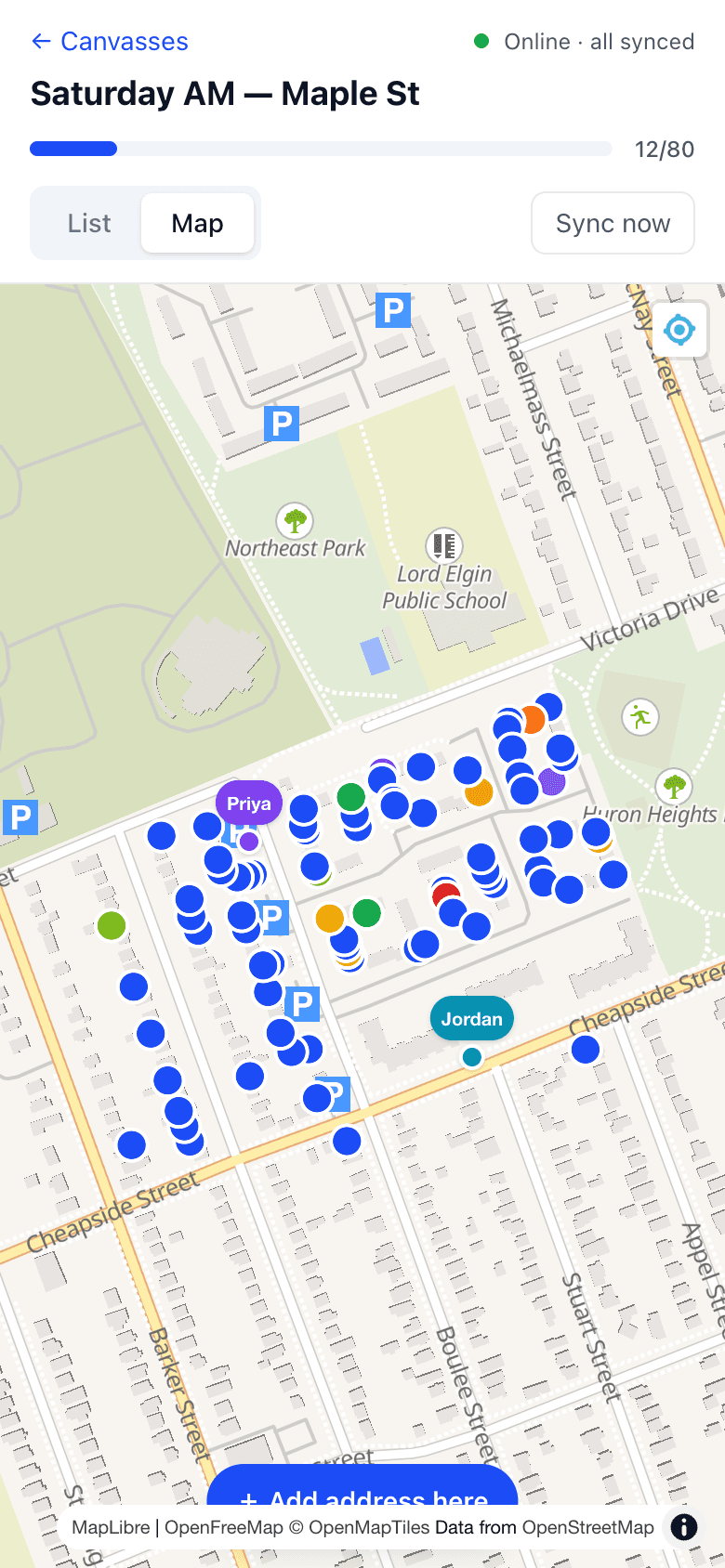
Real screenshots of the canvasser view. Big buttons, works with gloves on.
Ready to knock smarter?
Free while in beta. Every feature. Your first canvass can be in the field today. New things ship most weeks — see what's new.